 CGfield
Your 3D assets,
ready to render
CGfield prepares your 3D assets, organizes your libraries and places them in your Houdini, Maya, 3ds Max and Blender scenes.
 Everything prepares
 AssetBrowser organises and places
 Animated animates vegetation
Works with
 Houdini
 Maya
Maya
 3ds Max
 Blender

Everything
Prepare an entire library
Drop in a folder. Get assets ready to use.
View chapters
Test on my files Explore the app
Everything runs on a computer
It converts your files: a folder of assets, its maps, its geometry. Install it on a workstation to try it.
Download for Windows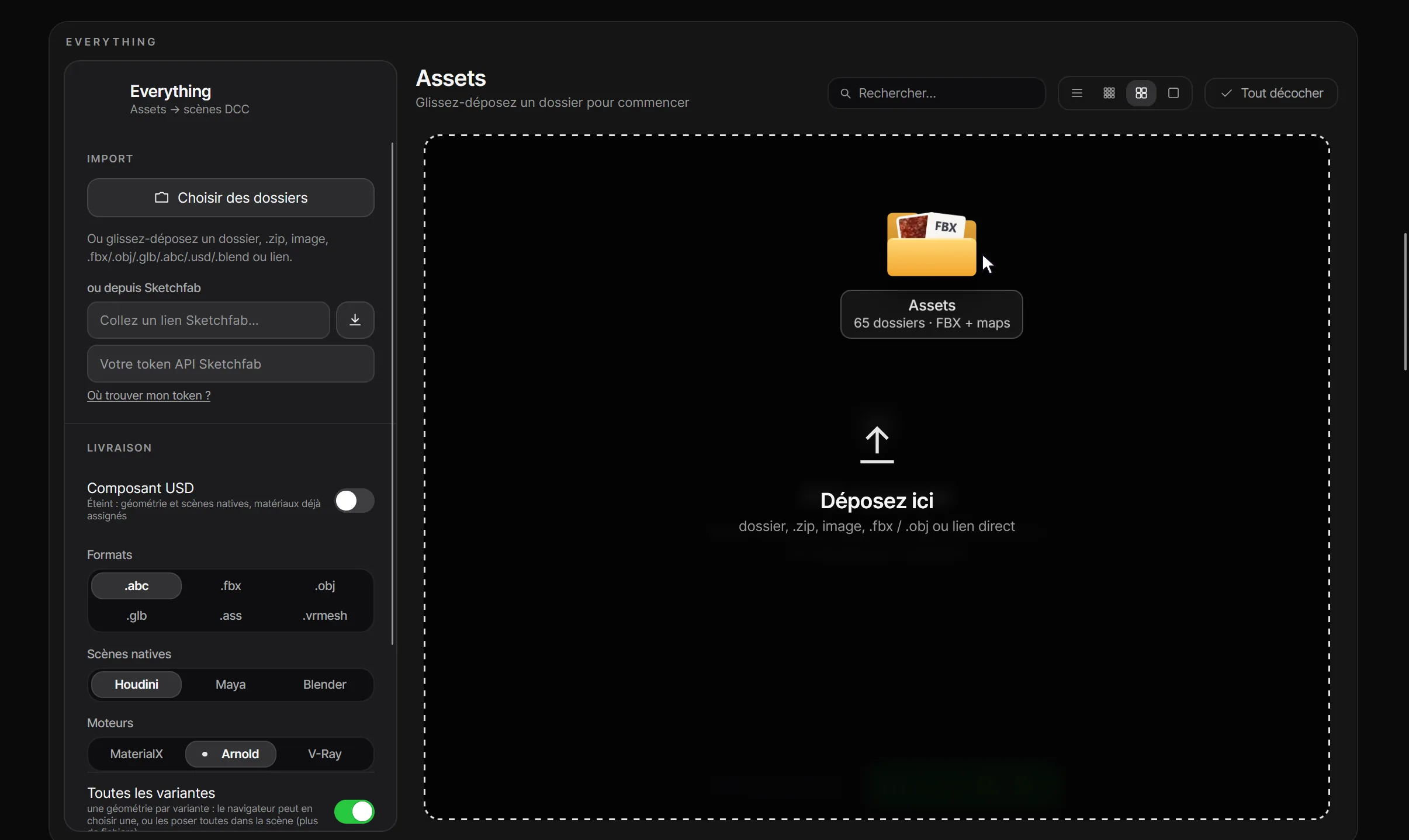
Everything demo
The application, with thumbnails from existing libraries
- Maxtree
- Quixel Megascans
- KitBash3D
- Globe Plants
- Textures.com
- SpeedTree
- ambientCG
- Poly Haven
- Sketchfab
- and your own folders
Interactive demo · simulated operations.
AssetBrowser
All your libraries in one place
Models, surfaces and HDRIs, Poly Haven’s included: find any asset and drop it into your scene.
View chapters

Create a library, then use it
The application runs on its demonstration library
Interactive demo · simulated operations.
Animated
Wind for your vegetation
Set the wind. Bring your vegetation to life.
Test on my files See the overview
Animated runs on a computer
It rigs the geometry you hand it, and it reads that from your disk. A phone browser has no access to it.
Download for Windows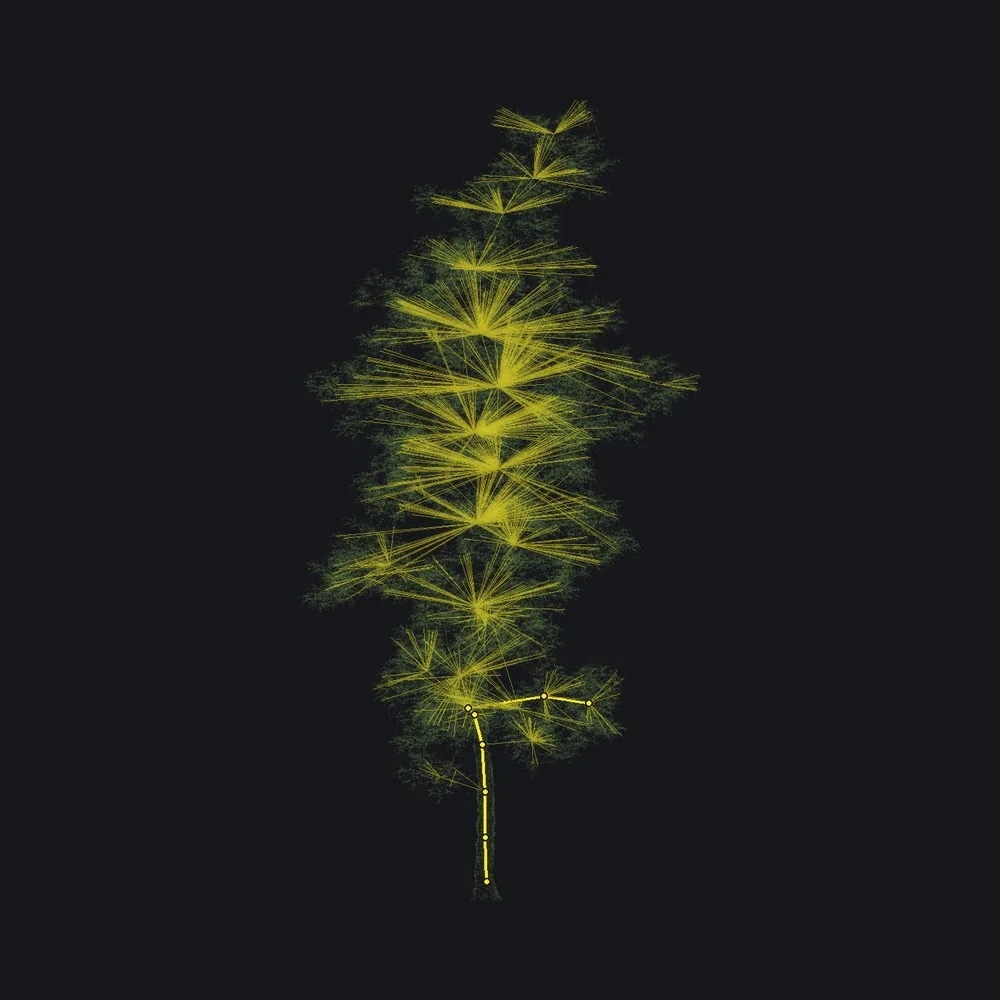
A tree, its skeleton, its wind
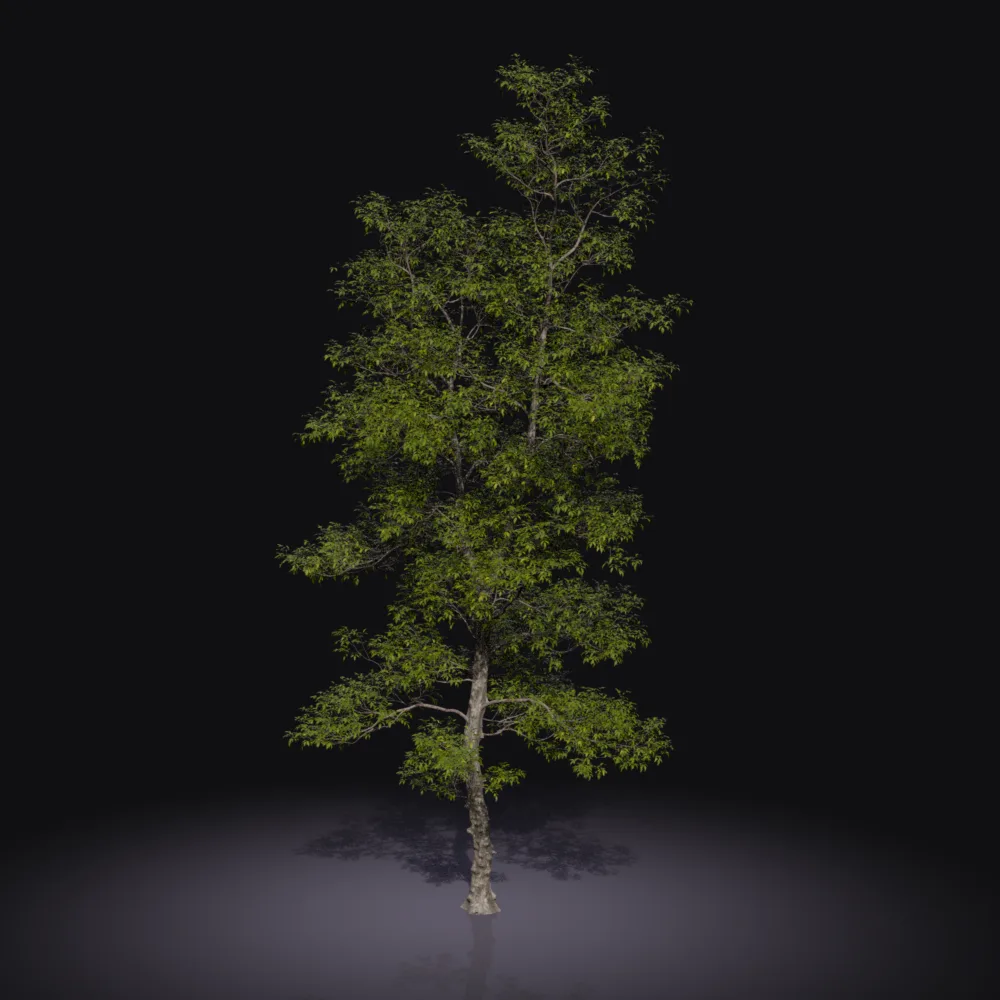
The application runs on a tree from the Maxtree Vol. 124 pack
Materials, formats and demo
With an Everything package, keep the available textures and networks. “Match source” selects Arnold or V-Ray per asset. Keep companion files with the Alembic cache.
Maxtree Vol. 124 tree: skeleton and wind computed by Animated, replayed on lighter geometry. Simulated export, with no disk writes.
From files to 3D scenes
-
01You drop in
3D modelsFBX · OBJ · USD · Blender…Textures / mapsBase Color · Roughness · Normal… -
02Everything prepares
EverythingMaterials created and assignedTextures connected to shaders
-
03You receive
Houdini.hip / .usdMaya.mb3ds Max.maxBlender.blend
View all input and output formats
What you can drop in
- 3D models
- .fbx · .obj · .gltf · .glb
.usd · .blend · .abc · .ply · .stl - Textures
- .jpg · .png · .tif · .exr
- Folders and libraries
- Individual files, entire folders or ZIPs
What you can export
Native scenes and render engines
- Houdini
.hip · .usd · .usdcKarma · Arnold · V-Ray- Maya
.mbArnold · V-Ray- 3ds Max
.maxArnold · V-Ray- Blender
.blendCycles · EEVEE
Other output files
- Geometry
- .fbx · .obj · .abc · .bgeo.sc
- PBR exchange
- .gltf · .glb
- Render proxies
- .ass Arnold · .vrmesh V-Ray
FBX and OBJ: assigned materials and associated textures. glTF / GLB: PBR materials. The .ass contains its shaders. For Alembic and V-Ray proxies, CGfield recreates and assigns materials from companion files.
Also: Globe Plants .max files, MESH edition.
Formats and materials depend on selected options, format capabilities and installed software and render engines.
LODs and thumbnails according to your options.
Prepare, organize and animate your assets
in a single suite
Frequently asked questions
Another question? Write to us at contact@cgfield.com.
What is CGfield?
CGfield is a software suite for 3D artists and animation and VFX studios. Its three apps prepare, organise and animate your assets in Houdini, Maya, 3ds Max and Blender, and the launcher installs and updates them.
Which applications are included?
Everything prepares models and materials. AssetBrowser organises your libraries of models, surfaces and HDRIs and places assets in Houdini, Maya, 3ds Max and Blender, where an HDRI lands as the lighting. Animated adds wind to vegetation.
Can I start for free?
Yes, with a free account and no bank card. The Discovery plan lets you use all three applications and includes one trial export, a single one for the whole account, shared by Everything, AssetBrowser and Animated. Requesting the same asset again does not count a second time. Paid plans offer unlimited exports. See the Pricing page for the offers.
On how many machines can I use it?
1 machine with Discovery or Pro, 5 with Studio. You can view and manage your machines from your account.
Do my assets go to a server?
Your models and textures are processed on your machine. CGfield uses online services for accounts, licences, quotas and updates; see the privacy policy for details.
See all questions
Which system does it run on?
The desktop apps run on 64-bit Windows. There is no macOS or Linux version yet. You can view the website presentations in a recent browser.
Which files can I drop in?
Everything accepts files, folders and ZIP archives, including FBX, OBJ, glTF/GLB, Alembic, USD and Blender. Keep textures with their models; some formats require the original software.
Which libraries are recognised?
Everything recognises folders from Quixel Megascans, Maxtree, KitBash3D, Globe Plants, SpeedTree, Textures.com, ambientCG and Poly Haven, Sketchfab models and your own folders. AssetBrowser also browses Poly Haven HDRIs and downloads them into your library. Material recognition depends on the files and textures provided.
What comes out at the end?
Depending on your settings: Houdini, Maya, 3ds Max or Blender scenes, USD components or exchange files. USD is optional; choose the outputs suited to your software.
Which render engines are handled?
Karma through MaterialX, Arnold, V-Ray and Cycles in Blender, depending on the selected output. The corresponding engine must be installed to render.
Do I need to stay online?
The licence can remain valid offline for up to 14 days after renewal. The free plan’s trial export needs a connection: it is checked on our servers.
Can I try it before installing anything?
Yes. The website demos let you explore the interfaces without installing the launcher. Conversions and exports shown there are simulated; install the Windows apps to process your own files.